Shopping cart

Subtotal: $4398.00
View cart Checkout

🎓 The Skills Employers Want. The Training You Need. New Batches Starting Now! - Admission Open for 2026
shape
shape

Courses

  • Home
  • Courses
  • PROFESSIONAL ADOBE PHOTOSHOP MASTER COURSE
PROFESSIONAL ADOBE PHOTOSHOP MASTER COURSE 2 Months
Lesson 9 Students 60+ Beginner

PROFESSIONAL ADOBE PHOTOSHOP MASTER COURSE

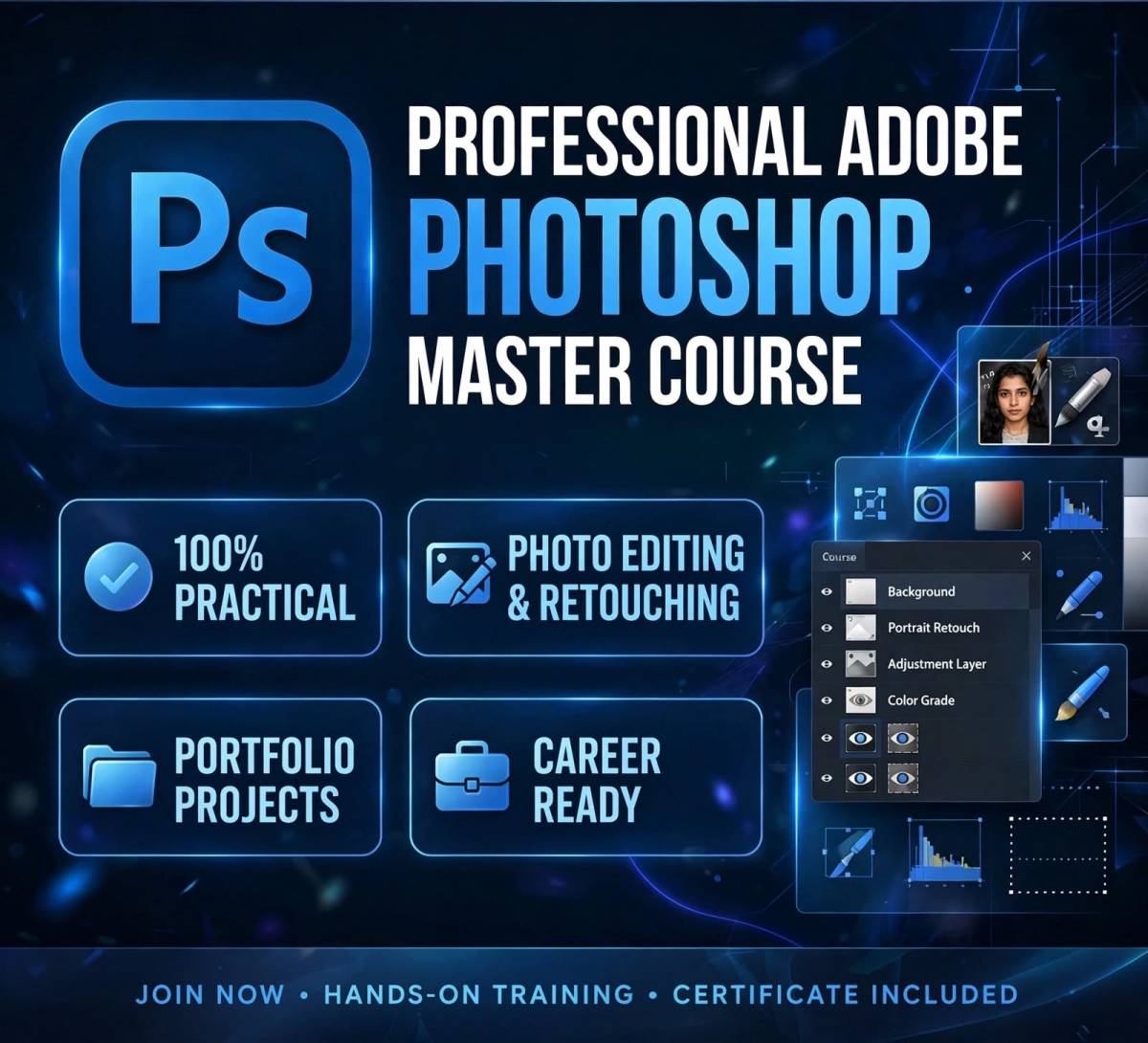
Master Graphic Designing, Photo Editing & Retouching with Adobe Photoshop. Learn from Basic to Advanced level with Live Projects, Portfolio Building & Job Oriented Training at Yug Computer Education. 100% Practical Course.

About PROFESSIONAL ADOBE PHOTOSHOP MASTER COURSE

Become a Professional Graphic Designer & Photo Editor with our Professional Adobe Photoshop Master Course. This is a 100% practical, job oriented course designed for beginners to advanced learners.

You will learn Photoshop not just as a software, but as a creative career skill.

What You Will Learn:

  • Fundamentals of Graphic Designing & Photoshop Interface
  • Image Editing, Resizing, Cropping & Color Correction
  • Layer Management, Masking & Blending Modes
  • Selection Tools, Pen Tool & Advanced Cut-out Techniques
  • Photo Retouching, Beauty Retouching & Background Removal
  • Text Effects, Poster, Banner & Social Media Post Design
  • Logo Design, Brochure, Flyer & Advertisement Design
  • Photo Manipulation & Creative Artwork
  • Filters, Effects & Actions
  • Print-Ready & Web-Ready File Preparation
  • Live Projects + Portfolio Creation + Certificate

Training by Expert Trainer with Latest Photoshop CC Version.

Introduction to Graphic & Photoshop

What is Graphic Designing?

Introduction to Adobe Photoshop CC 2024/2025

Photoshop Interface, Panels, Workspace

New Document Setup, Artboards, Resolution, RGB vs CMYK

File Types - PSD, JPEG, PNG, PDF, TIFF

Essential Tools Mastery

Move Tool, Crop Tool, Perspective Crop

Brush Tool, Pencil, Color Replacement

Eraser Tools, Gradient & Paint Bucket

Clone Stamp, Healing Brush, Patch Tool

Pen Tool - Basic to Advanced (Clipping Path Mastery)

Shape Tools, Path Selection

Layers & Layer Styles - The Heart of Photoshop

Understanding Layers Panel

Layer Types, Smart Objects, Linked Layers

Layer Opacity, Fill & Blending Modes

Layer Styles - Drop Shadow, Stroke, Bevel, Glow

\Adjustment Layers - Brightness, Curves, Levels, Hue/Saturation

Selection & Masking Pro Techniques

Marquee, Lasso, Quick Selection, Magic Wand

Subject Select, Sky Select & Object Selection Tool

Color Range Selection

Layer Masking & Clipping Mask

Hair Masking & Advanced Cutout for Studio Work

Select and Mask Workspace

Professional Photo Retouching & Editing

Photo Retouching & Beauty Retouching

Skin Smoothening, Whitening, Pimple Removal

Background Change & Background Removal

Color Correction & Color Grading

Double Exposure Effect

Camera Raw Filter - Complete Training

Typography & Shape Designing

Text Tool, Character & Paragraph Panel

Creative Text Effects - Gold, 3D, Neon, Smoke

Shape Builder & Custom Shapes

Poster, Banner, Flex, Social Media Post Design

YouTube Thumbnail, Instagram Post & Story Design

Advanced Manipulation & Effects

Photo Manipulation & Creative Compositing

Filters & Filter Gallery

Liquify, Vanishing Point, Content-Aware Move

Actions - Automation for Fast Work

Mockup Design - T-Shirt, Logo, Business Card Mockup

NEW AI Features in Photoshop

Generative Fill & Generative Expand

Neural Filters - Photo Restoration, Colorize, Makeup

Sky Replacement & Object Removal with AI

Firefly Integration

Print & Web Project Work

Logo Design, Visiting Card, Letterhead Design

Brochure, Flyer, Catalogue Design

Packaging Design Basics

Wedding Album Designing Basics

Export for Print, Web & Social Media

Career Opportunities After This Course

After completing this course, students can explore various career opportunities such as:

After completing this course, you can work as:

  • Professional Graphic Designer
  • Photoshop Expert / Photo Editor
  • Social Media Designer
  • Poster & Banner Designer
  • Photo Studio Editor
  • Freelancer on Fiverr, Upwork, Freelancer
  • Start Your Own Designing Business / Studio
  • Eligible for Jobs in Advertising Agency, Printing Press, IT Company & Digital Marketing Company
Who Can Join This Course

This course is suitable for:

  • Anyone who wants to make a career in Graphic Designing
  • 10th / 12th Pass, College Students, Job Seekers
  • Photo Studio Owners & Photographers
  • Social Media Handlers, Business Owners
  • No Coding Knowledge Required - Basic Computer Knowledge is Enough
  • Age: 14 Years and Above
img
Start Learning

Start Learning Today

Join All India Institute of Computer Education and start your journey into
the world of programming with practical training and expert guidance.

Related Courses

You May Like Other Courses